

YouTube is one of the world’s top visited websites after Google and Facebook. People have been watching videos on YouTube since a very long time, some even use it as a platform to make themselves more known to the world and even make a quick buck. Normally, if someone likes a video on YouTube, they’d want to download it on to their hard drive. But, Google, the owner of YouTube, doesn’t allow users to officially download videos from the website. Thus, users are forced to use third party software or online tools to download YouTube videos and watch it later with some popcorn and friends.
Nowadays, it’s super easy and simple to download YouTube videos, there are so many tools available to do that. Downloading a video from YouTube or any other video sharing website is pretty much like learning how to sit and watch TV. You can easily download any video on the internet with ther help of certain extensions or addons. For example, you can refer to the top Google chrome download managers or the best Firefox download managers.

But, today we’ll be talking about a simple online tool, two desktop software and a Greasemonkey script, with the help of which, you can download YouTube movies as well along with all those music videos you wanted to have on your computer. Of course, you can also use torrents to download those videos, but we suggest you to use these ones!
4 Ways to Download YouTube Videos
There are obviously more ways to download a video or movie from YouTube, but we prefer the following 4 methods as they are 100 percent functional and very reliable. Let’s start with one of the most use online websites that is used to download videos from YouTube.

KeepVid

If you’ve been downloading videos from the internet from a while now, then you must’ve heard of this amazing online tool. KeepVid is one of the most used online tools to download videos from YouTube. It’s free, you get to choose almost all the available quality and it’s easy. A simple interface makes it quick, as you only have to provide the link and hit the download button. Then, it searches for all the available qualities and sizes and then you can either Right-click and Save Target or you just click on Download. Try KeepVid. They also offer a desktop version which is paid, but if you are looking for free solution web based Keepvid is enough to take care of video download needs. More over, specially people who looks to download YT videos in different format like .FLV, .Mp4, .3Gp or even in .mp3 format, they can use keepVid site.
YouTube Downloader
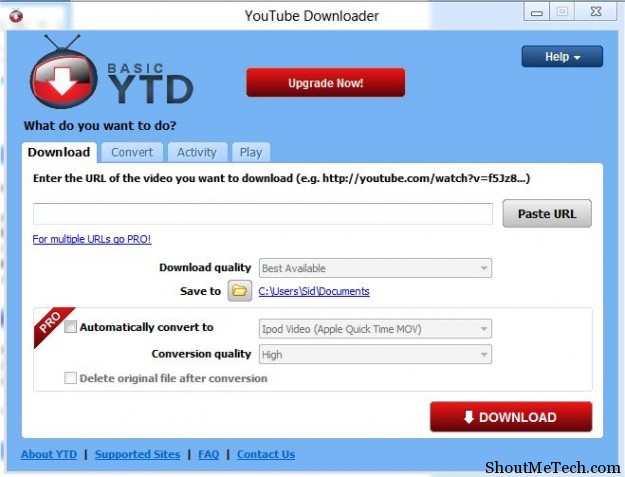
Let’s move on to desktop software and start with YouTube Downloader, the most downloaded software on Download.com from the past 4 years in a row. The previous state is enough to tell you how awesome this software is. You can do almost all that you want with YouTube downloader, including on the fly video conversion. It’s a very powerful tool, and the best part is that it’s available for free. There is also a pro version called YouTube downloader Pro, which costs about $20. With the Pro version, you get the option to queue multiple downloads. You can try YouTube downloader from here.
YouTube-Downloader HD
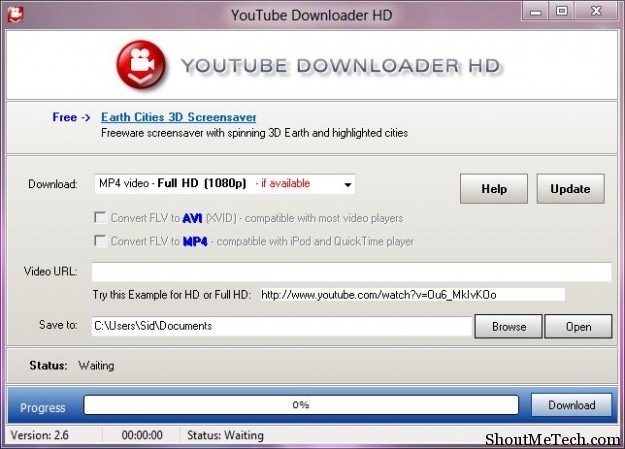
Using the YouTube Downloader HD, you can download all those high quality HD videos and movies. HD movies and videos make a lot of difference when viewing on a big screen, they’re just better to watch. Thus, if you’re someone who wants to download HD videos from YouTube, then this is the tool for you. It has similar features to the YouTube downloader and can convert videos on the fly or convert them in to Mp3. You can download this software from over here. It is only compatible with Windows operating system.
GreaseMonkey Script to Download YouTube Movies
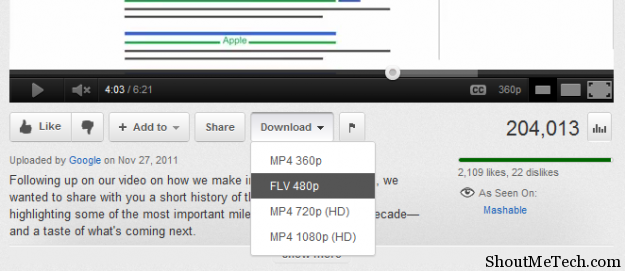
The easiest way to download a YouTube video is by installing a GreaseMonkey user script on your favorite browser. The one that we’ll talk about here is called Download YouTube videos to MP4 and it adds a Download button to the YouTube page. If you’re on Firefox, you should first install Greasemonkey from Addons and if you’re on Chrome just click on Install. You can download the user script from here. It’s also available for Opera, Safari and Internet Explorer 7 and above.
So, there you go! Four easy ways to download YouTube videos and movies for free. We would like to know, which one of these have you used and liked the most. Let us know in the comments.






Comments on this entry are closed.
I use Keep Tube, it is the easiest way to download YouTube videos and the quality is very nice as well.
best method is to use Internet Download Manager(IDM) for downloading videos from any site with real high speeds
I have searched alot but nothing better than (IDM) to download videos from any website one more software you may try (Free make video downloader ) through this software you can download as well as convert the same time in most of the file format
I too have searched a tool near as good as IDM. I almost gave up until I came across eagleget…
I use IDM(Internet Download Manager) and it is easy to use. Downloads a particular video or file very fast in comparison to other downloaders. I have used many other downloaders but it is the single one i found best. Some browsers dont accept it and you need to integrate them with those browsers.
I have tried to use the YouTube Downloader and a few other tools that which sadly do not download official videos…say Gangnum Style.